
Running a WooCommerce store is about more than adding products and accepting orders. If potential customers cannot find your products on Google, your business may miss valuable opportunities to attract organic traffic and generate sales.
A well-optimized WooCommerce website helps search engines understand your products, categories, and website structure while making it easier for customers to discover what they need.
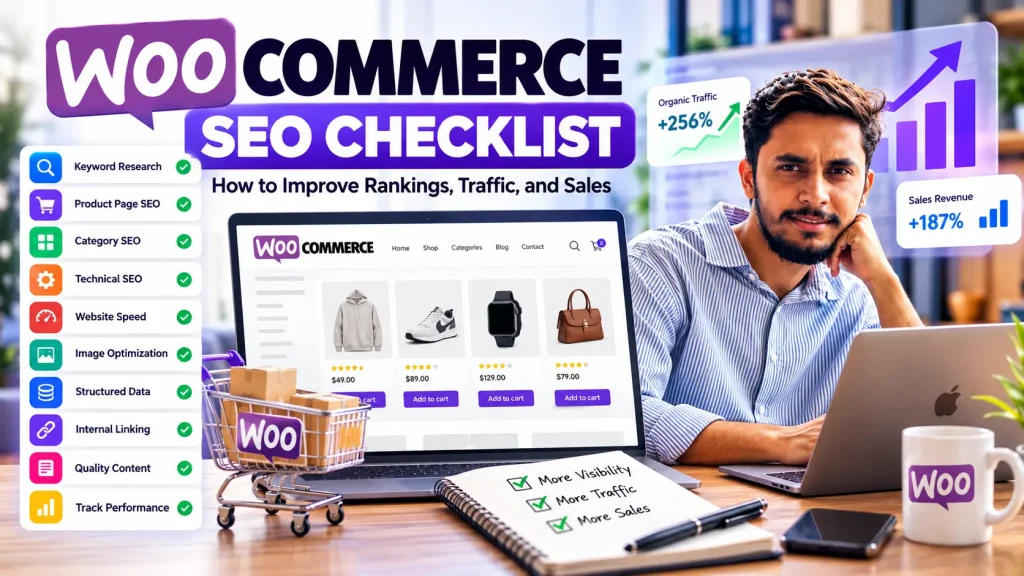
However, ecommerce SEO involves several areas, including keyword research, product page optimization, category page SEO, technical improvements, website performance, and internal linking.
In this guide, you will learn how to optimize your WooCommerce store using a practical SEO checklist.
If you need professional help with your store, explore my WooCommerce SEO services in Bangladesh for tailored optimization support.
1. Research Keywords for Your WooCommerce Products
Keyword research is the foundation of an effective ecommerce SEO strategy. It helps you understand what potential customers search for before purchasing a product.
Instead of targeting only broad keywords, focus on relevant search terms that reflect different stages of the buying journey.
For example, an online clothing store might target:
- Buy men’s hoodies online
- Affordable oversized T-shirts
- Men’s cotton jogging pants
- Best winter jackets for men
- Premium casual wear in Bangladesh
These examples represent different product needs and search intentions.
How to Find Relevant Keywords
Use tools such as Google Search Console, Google Keyword Planner, Ahrefs, or Semrush to identify relevant search terms and opportunities.
When researching keywords, consider:
- Search intent and relevance to your products
- Search demand and competition
- Commercial and transactional intent
- Long-tail keywords with specific product attributes
- Location-based terms when targeting a particular market
Assign a primary keyword to each important product or category page. Use related terms naturally instead of repeating the same keyword unnecessarily.
2. Optimize WooCommerce Product Pages
Product pages are essential for ecommerce SEO because they explain what you sell and help customers decide whether a product meets their needs.
A product page with only a title, price, and image may not provide enough useful information to differentiate it from competing pages.
Product Page SEO Checklist
- Write a unique, descriptive product title.
- Create a clear and helpful product description.
- Include relevant keywords naturally.
- Explain product features, materials, sizes, benefits, and compatibility where applicable.
- Use high-quality images with descriptive alt text.
- Add accurate pricing and availability information.
- Include useful customer reviews where available.
- Link to relevant categories and complementary products.
- Write a compelling meta title and meta description.
- Check that the page is crawlable and eligible for indexing.
Avoid copying manufacturer descriptions across multiple product pages. Original, accurate content helps customers understand the product and gives search engines clearer information about the page.
3. Improve WooCommerce Product Category SEO
Product category pages help customers browse your store and allow search engines to understand how products are organized.
For example, a clothing store might use the following structure:
Home → Men’s Clothing → Hoodies → Oversized Hoodies
Each category should serve a distinct purpose and target a relevant group of search queries.
Category Page Optimization Tips
Write a unique category title and meta description. Add a concise introduction explaining the products available and who they are suitable for.
Organize products logically and use descriptive category names. Link to relevant subcategories and important products so customers and search engines can discover them easily.
Avoid creating numerous near-identical categories simply to target keyword variations. Each indexable category should provide a useful browsing experience or a meaningful search landing page.
4. Fix Technical SEO Issues
Technical SEO helps search engines crawl, understand, and index your WooCommerce website.
Even well-written product descriptions may struggle to gain visibility if important pages cannot be discovered or indexed properly.
Check Your Website’s Indexing
Use Google Search Console to inspect important product and category URLs. Review reported indexing issues and investigate whether valuable pages are blocked, marked with noindex, or affected by canonicalization problems.
Review Your XML Sitemap
Make sure your sitemap includes the important URLs you want search engines to discover. Check that it does not unnecessarily include redirected, non-canonical, or non-indexable pages.
Fix Broken Links and Redirects
Identify broken internal links, redirect chains, and outdated product URLs. When a product URL changes, use an appropriate redirect if a relevant replacement exists.
Manage Duplicate and Filtered URLs
WooCommerce stores may generate additional URLs through product filters, sorting options, tags, and product attributes. Review which URL variations provide genuine search value and which may create duplicate or low-value pages.
Configure crawling, indexing, and canonical signals carefully rather than blocking URLs indiscriminately.
5. Improve WooCommerce Website Speed
Website performance affects the shopping experience. Slow pages can make it harder for customers to browse products, compare options, and complete purchases.
Common causes of poor performance include oversized product images, excessive plugins, inefficient themes, third-party scripts, and inadequate hosting resources.
Website Speed Optimization Checklist
- Compress product images without noticeably reducing quality.
- Use modern image formats where appropriate.
- Enable suitable page caching.
- Review unnecessary plugins and scripts.
- Optimize fonts and other large assets.
- Use a suitable hosting environment.
- Consider a content delivery network when appropriate.
- Test mobile and desktop performance.
- Monitor Core Web Vitals.
Use Google PageSpeed Insights to identify performance problems and prioritize improvements based on actual test results.
Avoid installing multiple performance plugins with overlapping features. Test changes carefully to ensure they do not break product variations, cart functionality, checkout, or other important store features.
6. Optimize Product Images for SEO
Product images help customers evaluate what they are buying, and descriptive image information can improve accessibility and help search engines understand visual content.
Use clear filenames that describe the actual product rather than generic names such as IMG1234.jpg.
For example:
mens-cotton-hoodie-black.jpg
Write useful alt text that describes the image for people who use screen readers. Do not stuff alt text with keywords, and use empty alt attributes for decorative images when appropriate.
Also, resize images to suitable dimensions, compress them, and avoid loading unnecessarily large files on mobile devices.
7. Use Structured Data Correctly
Structured data helps search engines interpret information on your pages. Depending on eligibility and implementation, product structured data may help Google understand details such as price, availability, ratings, and product identifiers.
For WooCommerce stores, review the relevant markup for:
- Product pages
- Product variants, where supported
- Product prices and availability
- Genuine review ratings
- Breadcrumb navigation
- Organization or business information
Make sure structured data matches the information users can actually see on the page. Validate your implementation using Google’s Rich Results Test and relevant Search Console reports.
Structured data does not guarantee higher rankings or enhanced search results, so treat it as one part of your broader SEO strategy.
8. Build a Strong Internal Linking Structure
Internal links connect related pages on your website and help customers discover additional products and information.
A well-organized WooCommerce store should make important products accessible through normal navigation rather than relying exclusively on its internal search function.
Internal Linking Best Practices
Link from your homepage to important categories and featured products. Link from category pages to relevant products and subcategories. Add contextual links between related products and helpful buying guides.
Your blog content can also support commercial pages.
For example, an article about choosing the right running shoes could link to the relevant footwear category. An article about improving ecommerce product pages could link to your WooCommerce SEO service page when readers need professional support.
Use natural anchor text that describes the destination. Avoid repeating an exact-match keyword in every internal link.
9. Create Helpful Content Around Your Products
Product pages are not the only pages that can attract organic search traffic. Informational content can help potential customers discover your brand while researching a problem or comparing products.
Consider creating content such as:
- Buying guides
- Product comparisons
- Size and compatibility guides
- Product care instructions
- Frequently asked questions
- Tutorials related to your products
- Solutions to common customer problems
For example, a store selling skincare products might publish a guide about choosing products for different skin types. A technology store could publish a compatibility guide for accessories.
Every article should answer a genuine question and link to relevant products or categories when it helps readers.
Avoid publishing large numbers of repetitive articles that provide little additional value.
10. Optimize Your Store for Mobile Users
Many ecommerce customers browse products using smartphones. Your website should make it easy to explore categories, view product images, select variations, and complete checkout on smaller screens.
Check that:
- Text is readable without zooming.
- Navigation menus are easy to use.
- Product images display correctly.
- Variation selectors work properly.
- Add-to-cart buttons are accessible.
- Forms are easy to complete.
- Important page content is not hidden behind intrusive overlays.
- Checkout works reliably on mobile devices.
Test your store on actual mobile devices when possible. A responsive design alone does not guarantee a smooth purchasing experience.
11. Track Your WooCommerce SEO Performance
SEO requires ongoing measurement. Track whether your improvements help search engines discover your pages and whether organic visitors engage with your store.
Important SEO Metrics
Google Search Console
Monitor organic clicks, impressions, click-through rate, average position, and indexing issues.
Google Analytics
Where correctly configured, measure organic landing-page sessions, product engagement, add-to-cart events, purchases, and revenue.
Technical Monitoring
Review broken links, performance changes, structured data errors, and important URL indexing status.
Compare results across consistent time periods and consider seasonality, promotions, stock availability, and other factors before attributing changes to SEO work.
Rankings and traffic are useful indicators, but qualified visitors and meaningful business outcomes are also important.
12. Common WooCommerce SEO Mistakes to Avoid
Some SEO problems are caused by overlooking basic store maintenance or applying generic SEO advice without considering ecommerce functionality.
Avoid these common mistakes:
- Using identical product descriptions across many pages
- Leaving category pages poorly organized
- Targeting keywords that do not match the page
- Publishing unnecessary tag and filter archives
- Allowing important product pages to remain undiscovered
- Ignoring broken links and redirect problems
- Uploading oversized product images
- Adding structured data that does not match visible content
- Publishing thin content only to target additional keywords
- Making technical changes without testing cart and checkout functionality
- Expecting immediate rankings or guaranteed sales
A successful strategy focuses on the issues that matter most to your store, your customers, and your business goals.
Frequently Asked Questions About WooCommerce SEO Checklist
What is WooCommerce SEO?
WooCommerce SEO is the process of improving a WooCommerce store’s visibility in organic search results through keyword research, product and category optimization, technical SEO, content improvements, internal linking, and performance optimization.
How do I improve my WooCommerce store’s Google rankings?
Start by ensuring important pages are crawlable and indexable. Research relevant keywords, optimize product and category pages, improve internal linking, resolve technical problems, and monitor results using Google Search Console.
Is WooCommerce good for SEO?
WooCommerce provides a flexible foundation for ecommerce SEO because it runs on WordPress and supports customizable product pages, categories, content, and SEO tools. Results still depend on implementation, competition, content quality, technical performance, and other factors.
Which SEO plugin is best for WooCommerce?
Rank Math, Yoast SEO, and All in One SEO are options worth evaluating. Choose a plugin based on your requirements, compatibility, structured data needs, workflow, and budget. Configure one primary SEO solution carefully to avoid conflicting metadata or schema.
How long does WooCommerce SEO take to show results?
The timeline varies based on your website’s current condition, competition, technical issues, content quality, and the work implemented. Some improvements may be reflected relatively quickly, while meaningful and sustained organic growth can take months. No specific ranking timeline can be guaranteed.
Can WooCommerce SEO increase sales?
SEO can help attract relevant shoppers who are searching for your products. Sales depend on additional factors, including pricing, product quality, trust, availability, user experience, and checkout performance.
Do WooCommerce product category pages need SEO?
Yes. Well-organized category pages can help customers navigate your catalog and help search engines understand the relationships between your products. Each important category should provide a clear purpose and a useful shopping experience.
Should I hire a WooCommerce SEO expert?
Professional support can be useful when your store has indexing problems, complex product catalogs, technical SEO issues, weak organic visibility, or limited in-house SEO resources. An experienced specialist can audit the website, prioritize improvements, and help implement a strategy suited to your business.
Improve Your WooCommerce Store’s Organic Visibility
A well-optimized WooCommerce store combines useful product information, clear category structure, technical accessibility, strong internal links, and a smooth shopping experience.
Start with the most important issues, measure the impact of your changes, and keep improving your store as customer needs and search behavior evolve.
If you want expert support with your store’s technical SEO, product pages, category optimization, or organic search strategy, explore my WooCommerce SEO services in Bangladesh.
Visit seoexpertazim.com to learn more about my SEO services, or contact me to discuss your WooCommerce website.
Ready to Improve Your WooCommerce SEO?
Want to help your WooCommerce store rank better on Google and attract more potential customers? A strategic SEO approach can improve product visibility, strengthen category pages, resolve technical issues, and create a better shopping experience.
As a WooCommerce SEO Expert in Bangladesh, I help businesses identify SEO opportunities and build practical strategies for long-term organic growth.
- Technical SEO Audits
- Product & Category Page Optimization
- Website Speed & Indexing Improvements
- Ecommerce Keyword Research
Ready to grow your online store with SEO?
Explore my WooCommerce SEO Services in Bangladesh
Contact Azim Jamshed to discuss your WooCommerce SEO needs.